01 December, 2009
- Hinsel Scott

Latest Comment...
thanks for the comment james, some good extra pointers there. took a quick look at your portfolio - you do some really nice work!
i tried to keep this tutorial as simple as possible - i've noticed the blank stares i get when i start mentioning channel mixers and color modes. ; )
20 November, 2009
- Hinsel Scott
- 20 Nov 2009
- 5,394 Views
- 14 Comments
Original Post: Convert Photos to Line Art
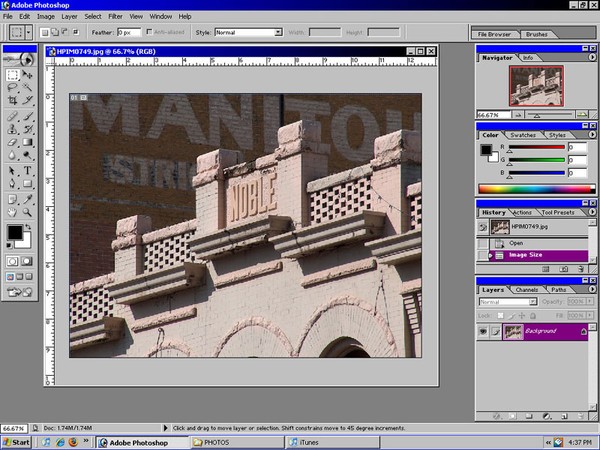
In this brief tutorial we will look at how to easily convert a photograph into a black and white line drawing with just a few quick clicks.
1-Open Photoshop. Choose the photo you want to convert to black and white line art. It is important that the photo a clean composition with good lines for best results - complex patterns tend to make for alot of "noise" in the picture that requires extra time to remove by hand.