31 March, 2009
- Rezo Kaishauri
- 1,303 Views
- 9 Comments

Need to remove a fixed pattern from scanned images
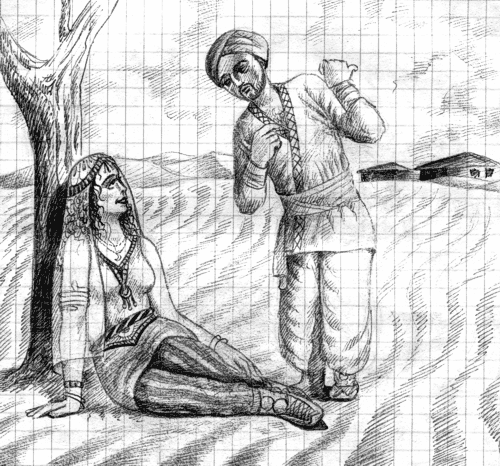
I'm looking for a Photoshop plug-in or any other image editing tool that would help removing a fixed pattern from scanned images, or reducing them to the point where they could be removed with brightness/contrast options.
I have some old ball-point pen drawings made in a checked math copybook. Most of the patterns are quite faint and they could be easily removed with brightness/contrast adjustments, but some of them cannot be removed so easily without heavily affecting the image quality.
If there are no such plug-ins or tools, maybe you could give me some advise on removing them manually. The pattern has a bluish tint, so I tried to use the color mask, but the result was nowhere near perfect. Any insights would be much appreciated.
Here's an example of my problem. It's in greyscale, but the actual images have slightly bluish patterns.