24 September, 2009

upload of picture

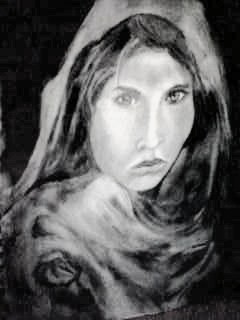
why does my art work here look like crap in person it looks a lot beter than the picture. I was hoping someone would tell me why?


Reply

4 Comments

Hinsel Scott 25 Sep 2009

how large are you saving your files? what medium is your art in ? are you posting photos of paintings or...?

give me a few more details on how you prepare the images and i'll see what i can do to help out!

Michael Huskey 13 Oct 2009

I don't know about yours, but mine look like crap because I have a cheap camera. :D

Kathleen Oliver 22 Dec 2009

I know what you mean. I couple mine I was upset with. It could be lighting where you set up your portrait when you take the picture.

Try different places with good light.

Darla Hallmark 12 Sep 2010

You can find many tutorials online about how to photograph your artwork.

There are some essentials.

Get square on to your two dimensional work. Fill the frame of your photo as much as you can with the image.

Use a tripod if you don't have really bright lights.

Light your artwork from both sides, for even lighting, and no glare.

DO NOT USE THE FLASH ATTACHED TO YOUR CAMERA. This will guarantee glare.

Take several different exposures, to make sure you get the right one. Ideally, your white areas should be bright, but not washed out, and the dark areas should also have some detail in them. This is not always easy, and can be worked with in editing.

Learn to use photo editing software to enhance your photo.

You may need to balance the colors, and adjust contrast levels.

Crop off all parts of the picture that are not your image. Adding a frame to it just makes your picture smaller, and does not help you sell it online.

If you can fit your work onto your scanner, use that instead of your camera.

Reply